1. Preface
Thank you for choosing Duux.
At Duux we believe in the importance of a comfortable and healthy living environment.
Enhancing your wellbeing by designing appealing, functional and effective products is the passion that drives us every day.
With our range of innovative air treatment products we aim to provide you with the best possible indoor air quality.

Cosy up with the Duux Zone Ceramic Mini Heater – the perfect companion for cold winter days.
This compact heater has a unique design with a maximum capacity of 1,500 Watt, making it much more powerful than you would expect.
Thanks to the built-in fan, the Zone accelerates the heating process in any room up to 25 m3.
2. About this manual
Make sure you have fully read and understood the instructions in this document before installing or using the product. Keep this document for future reference.
2.1. Language
This manual is originally written in English. All other languages are translations of the original English manual.
3. Product overview
3.1. Intended use
This product is intended for heating small rooms up to 25 m³.
This product is only suitable for well insulated spaces or occasional use.
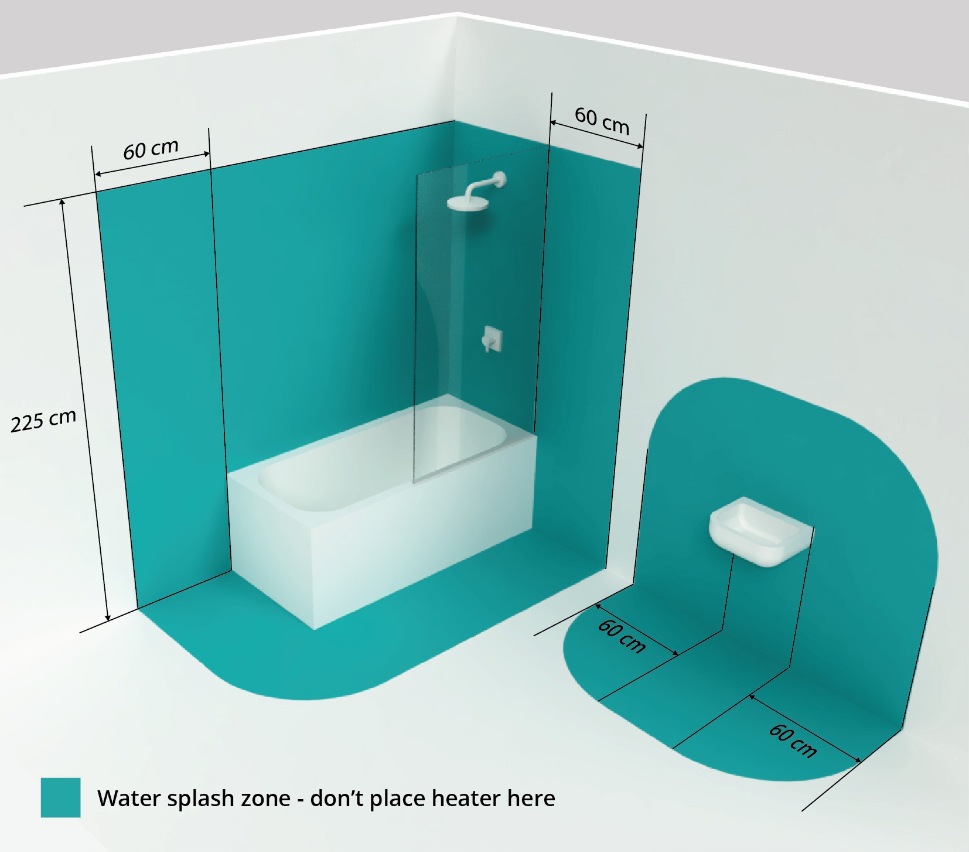
This product is not suitable for use in the immediate surroundings of a bath, a shower, swimming pool, or other water reservoirs.
This product is intended for normal household use only. This product is not intended for use in commercial or industrial environments.
This product is not suitable for primary heating purposes.
This product is not intended for use by persons (including children) with reduced physical, sensory or mental capabilities, or lack of experience and knowledge, unless they have been given supervision or instruction concerning use of the appliance by a person responsible for their safety.
Any adjustments to the product may affect the safety, warranty, and correct operation.
Choose a suitable location for the product, taking into account all the warnings mentioned in this manual.

3.2. Product description
The Zone is a heater that allows you to control the surrounding room temperature.
The product has different heating functions to suit your needs in many different situations.
The product can be placed on the floor or on a tabletop and can be controlled with the buttons on the product.
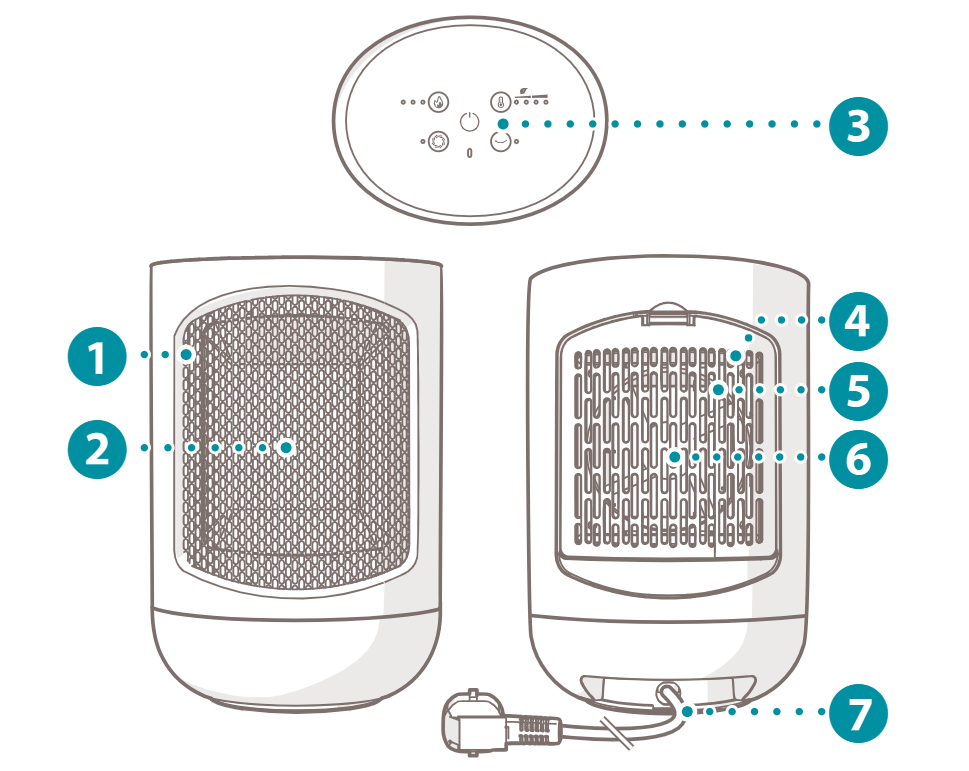
3.3. Main parts
Zone PMS_v01_05_Main parts.ai
1 Air outlet
2 Heating element
3 Display
4 Air inlet
5 Air inlet cover
6 Fan
7 Power cord
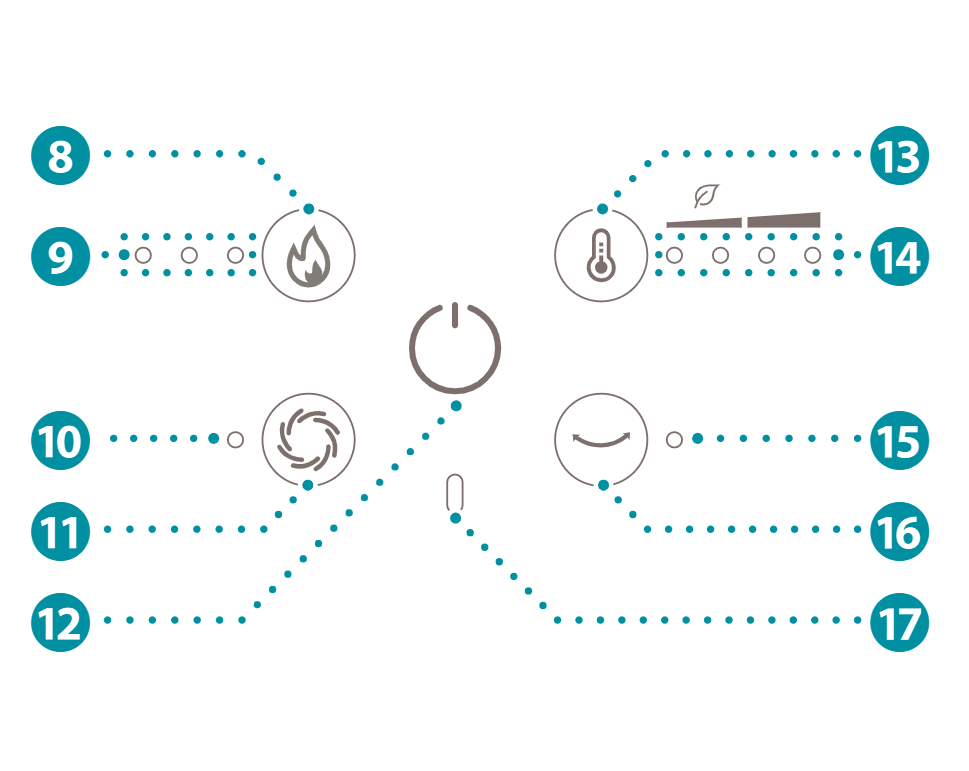
3.4. Controls
Zone PMS_v01_05_Control panel.ai
8 Heating level button
9 Heating level indicators
q Cooling indicator
w Cooling button
e Power button
r Thermostat button
t Thermostat level indicators
y Horizontal oscillation indicator
u Horizontal oscillation button
i Heating indicator
4. Safety instructions
4.1. Signal words in this manual
Signal words provide information on the level of risk of the described hazardous situation.
The following signal words are used in this manual:
Symbol
Meaning
WARNING
This symbol indicates a hazardous situation which, if not avoided, could result in death or serious injury.
CAUTION
This symbol indicates a hazardous situation which, if not avoided, could result in minor or moderate injury.
NOTICE
This symbol is used to address practices not related to physical injury.
4.2. Symbols on the product
Symbols on the product provide information about the product.
The following symbols can be found on the product:
Symbol
Meaning
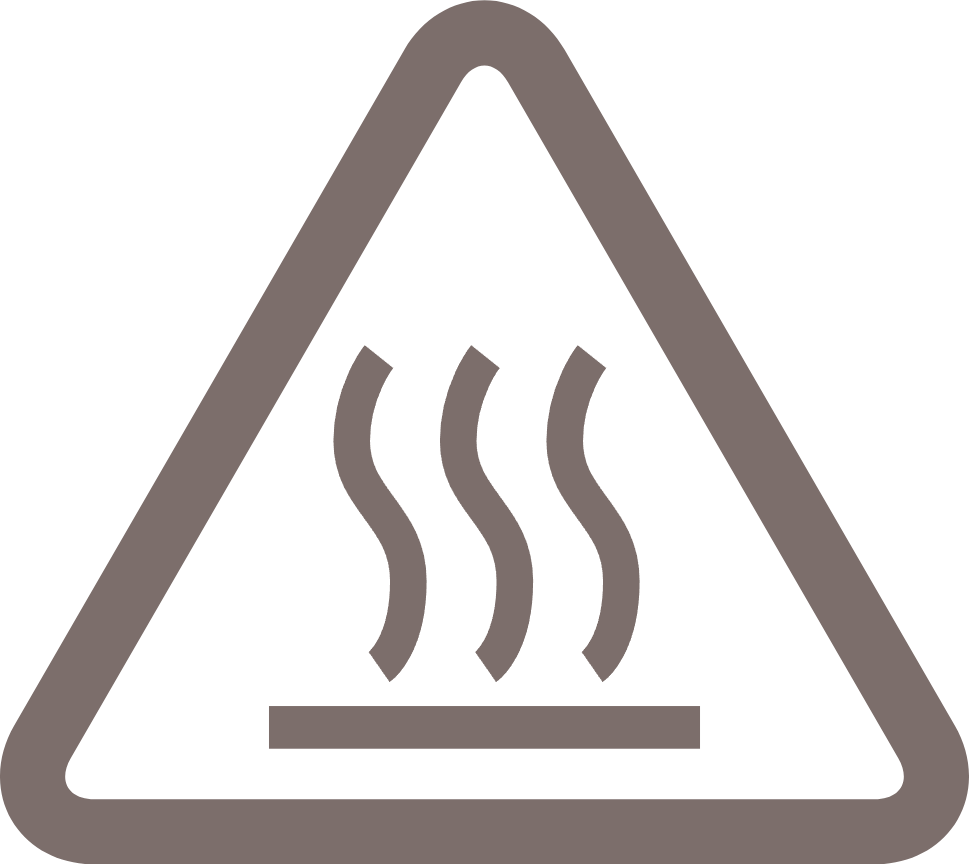
Hot surface.ai
Burning hazard. Contact may cause burns. Do not touch the hot surface.
CE.ai
The product features CE marking to demonstrate conformity to all relevant European directives.
UKCA.ai
The product features UKCA marking to demonstrate conformity to all relevant United Kingdom directives.
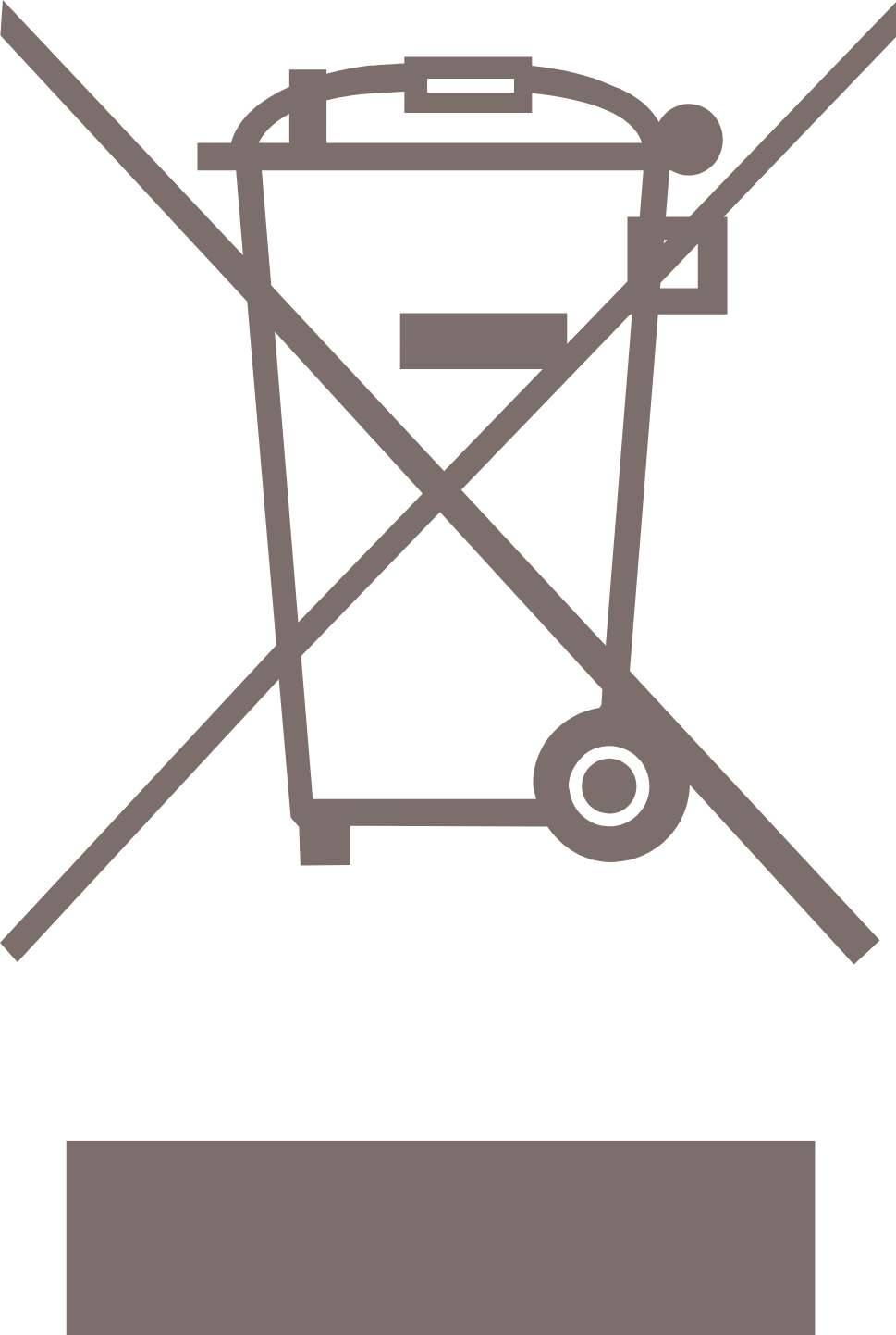
WEEE.ai
The European directive 2012/19/CE on Waste Electrical and Electronic Equipment (WEEE) requires that old household electrical appliances must not be disposed in the normal unsorted municipal waste stream.
Electrical Class 2.ai
This product is in safety class II and uses reinforced protective insulation in addition to basic insulation
Manual icon.ai
Make sure you have fully read and understood the instructions in this document before installing or using the product.
4.3. Safety warnings and regulations
WARNING
Risk of electric shock:
Unintended use may lead to serious injury or even death. Only use the product as described in this document.
Never let children perform maintenance without supervision. Give children simple instructions on how to use the product beforehand and always supervise them.
Never perform any maintenance with the product connected to the power source. Disconnect the product from the power source before service and when cleaning the product.
Never use the product when the power cord is damaged. If the power cord is damaged, it must be replaced by the manufacturer, its service agent or similarly qualified persons in order to avoid a hazard.
Never immerse the product in water or other liquids. Follow the cleaning instructions of this manual for the correct performance of maintenance.
Never handle the product with wet hands. Only handle the product with dry hands.
Never use the product in the immediate surroundings of a bath, a shower, or a swimming pool.
Never let water drip into the product. Water can damage internal parts and influence proper functioning of the product. Stop using the product and remove the power cord from the power outlet if water has dripped into the product.

Risk of fire:
Never use the product in the immediate surroundings of a bath, a shower or a swimming pool.
Never use the product with a programmer, timer, separate remote-control system, or any other device that switches the product on automatically.
Never use the product on soft surfaces. Soft surfaces may block openings. Always use the product on a flat and dry surface.
Never cover the product. Objects may block openings. Keep the space around the product free from objects.
Never use the product near flammable materials or surfaces. The product may become hot while in use. Keep the product at a minimum distance of 1 meter away from flammable materials or surfaces.
Never locate the product immediately below a power outlet. The product may become hot while in use. Always keep the area above the product free from objects and power outlets.
Never let the product or power cord become dusty. Regularly clean the product and power cord from dust.
Never use the product if there are visible signs of damage to the product.

Risk of explosion:
Never use the product near flammable or explosive substances or fuels. Flammable or explosive substances or fuels may cause an explosion. Only use the product in a clean and well-ventilated area.

Risk of suffocation:
Never let children play with the packaging material. Keep the packaging material out of the reach of children.

CAUTION
Risk of oxygen deficiency:
Never use the product in small rooms when they are occupied by persons incapable of leaving the room on their own, unless they are constantly supervised. Always use the product in a well-ventilated area.

Risk of burn:
Never touch hot surfaces. The product may become hot while in use. Always let the product cool down before handling the product.
Never let children alone unattended with the product in use to ensure that they do not play with the product. Always supervise children when the product is in use.

Risk of falling:
Never let the power cord hang over the edge of a table or counter. Someone could trip over the cord or accidentally pull the cord. Always place the power cord on a stable and flat surface.

NOTICE
Risk of short-circuiting:
Never use the product if it has been dropped, has come into contact with water, is defective or if the cord or plug is damaged. Return your device to the nearest authorised service point for examination, repair or adjustment.
Never use an extension cord. Only use the product on a direct power source.
Never use sockets that do not match the product’s power voltage. Before using the product, check the voltage on the unit's rating plate. Only connect the product to sockets that match the product's voltage. If you are not sure whether your connections meet the requirements, consult an electrician or your electricity supplier.
Never connect any other device with high power consumption to the same group. Limit the use of high-power consumption products connected to the same group.
Never use the product in a humid environment. Always use the product in a clean and dry environment.
Never open the product yourself for maintenance. This product may only be opened for maintenance by an authorised technician.
Never drop the product and avoid bumping. Excessive vibrations can lead to loosened connections and can influence proper functioning of the product. Stop using the product if the product has been dropped.

Risk of damaging the product:
Never use the product in commercial, industrial or outdoor environments. Always use the product for indoor use only.
Never use the product near heat sources. Keep the product away from heat sources.
Never use the product in direct sunlight. Direct sunlight may damage the housing of the product.
Never pull the power cord to disconnect it from the socket. Always grasp the plug and pull.
Never use cleaning solvents or abrasives to clean the product. Using the wrong cleaning products may damage the housing of the product. Always use the correct cleaning method specified in this user manual.
Incorrect storage may damage the product or electric circuit of the product. Always store the product in the original packaging and keep in a clean, dry place.
This heater is not equipped with a device to control the room temperature. Do not use this heater in small rooms when they are occupied by persons not capable of leaving the room on their own, unless constant supervision is provided.

5. Installation
20210721_Edge_IPzone_BathroomInsert-01 v2.jpg
5.1. Installing the product
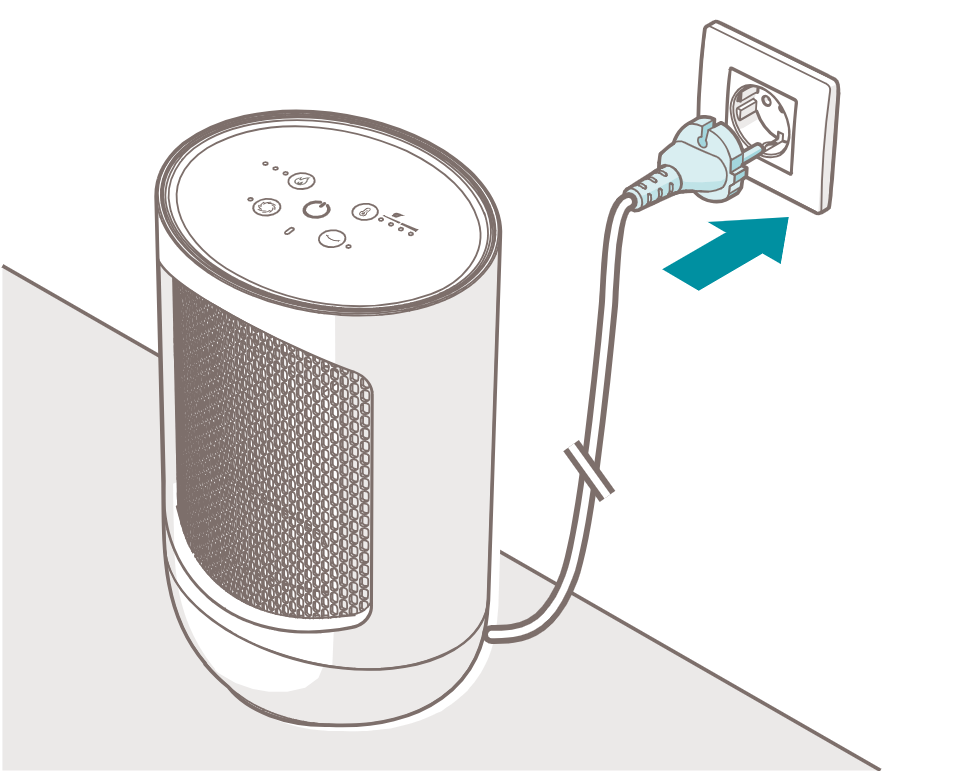
Zone PMS_v01_05_Installing the product.ai
1. Choose a suitable location for the product, taking into account all the warnings mentioned in this manual.
2. Place the product on a stable, flat, heat and moisture resistant surface with a minimal of 50 cm free space around the product.
3. Plug the power cord 7 into a power outlet.
The power icon 210067 04058 Duux - Edge Heater_icon_Power.ai lights up at half of the brightness. The product is now in standby mode.
6. Use
All the lights on the display 3 dim to half of the brightness when the buttons are not pressed for 10 seconds.
The product emits a beep each time a button is pressed.
6.1. Using the product
Zone PMS_v01_04_Switching on-off.ai
4. Press the power button e to switch on the product.
The fan 6 starts spinning. The heating element 2 switches on. The power icon 210067 04058 Duux - Edge Heater_icon_Power.ai lights up at full brightness.
The product resumes the selected settings from previous use.
When the product is used for the first time, the product starts at heating power level III and thermostat level II. The cooling mode and horizontal oscillation are inactive.
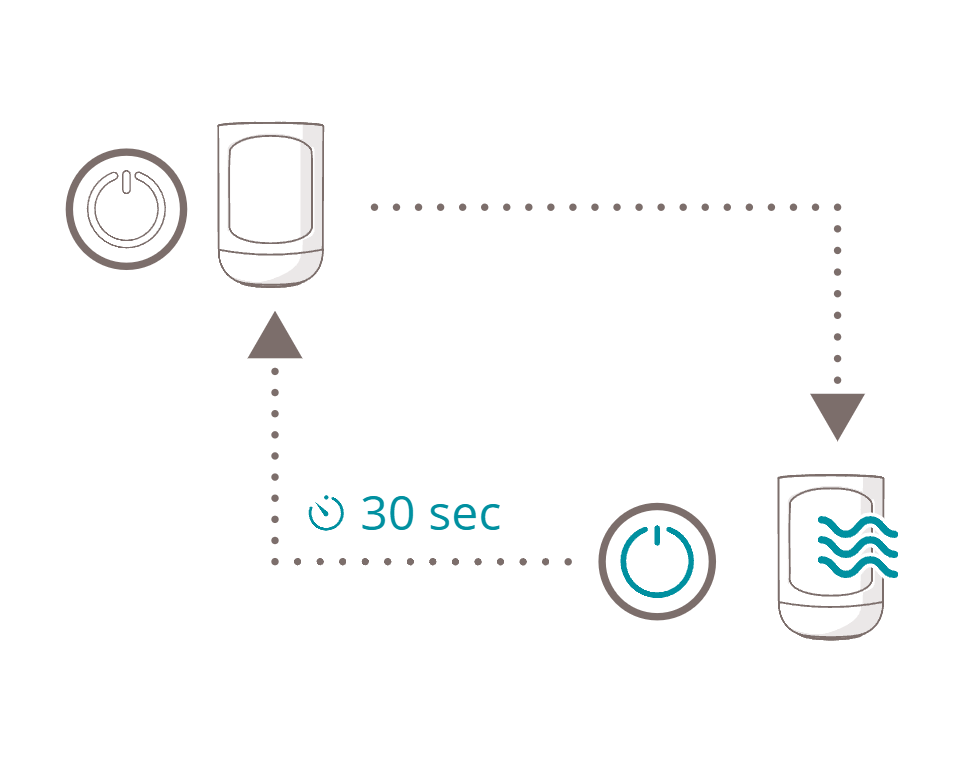
5. Press the power button e to switch off the product.
The product emits a double beep sound. The power icon 210067 04058 Duux - Edge Heater_icon_Power.ai starts flashing at full brightness.
The fan 6 keeps spinning for approximately 30 seconds after switching off the product to cool the heating element 2.
Afterwards, the product enters standby mode. The power icon 210067 04058 Duux - Edge Heater_icon_Power.ai dims to half of the brightness.
6.2. Setting the heat output
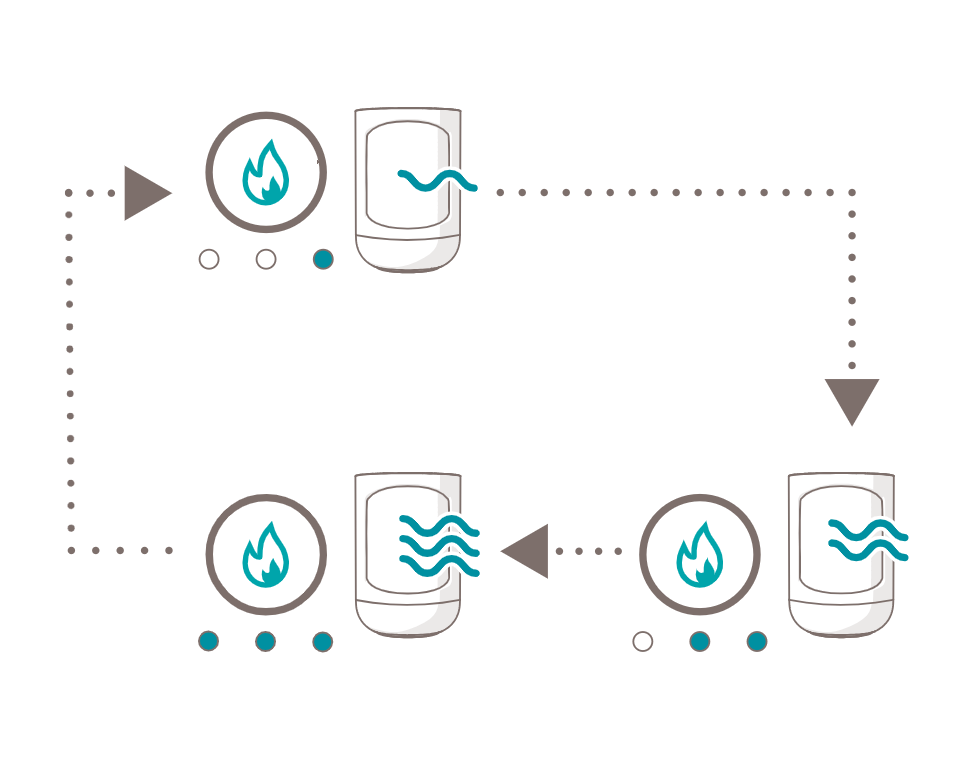
Zone PMS_v01_05_Heating power.ai
Press the heating level button 8 to cycle through the heating levels.

Heating level
Description
Zone PMS_v01_03_2.1 Heating level low.ai
Low heat output (700 watt)
Zone PMS_v01_03_2.2 Heating level mid.ai
Standard heat output (1050 watt)
Zone PMS_v01_03_2.3 Heating level high.ai
High heat output (1500 watt)
6.3. Setting the thermostat
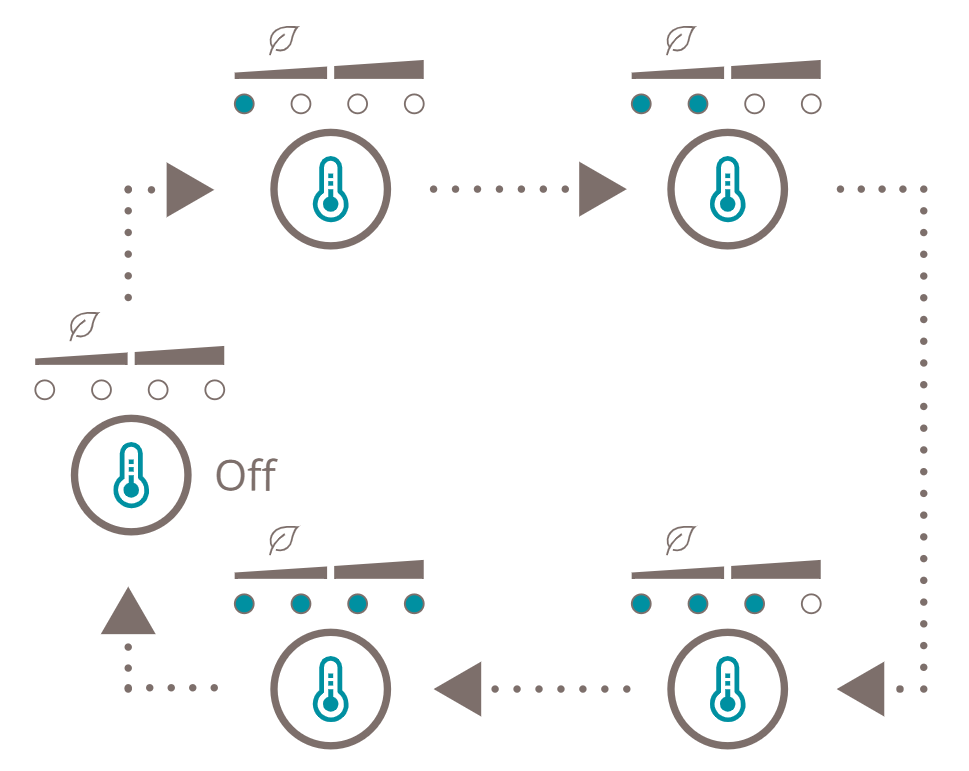
Zone PMS_v01_05_Thermostat mode.ai
6. Press the thermostat button r to cycle through the thermostat levels.
Thermostat level
Description
Zone PMS_v01_03_1.1 Thermostat off.ai
Continuous heat output
Zone PMS_v01_03_1.2 Thermostat  low.ai
ECO Bedroom temperature (18 °C)
Zone PMS_v01_03_1.3 Thermostat mid.ai
ECO Living room temperature (21 °C)
Zone PMS_v01_03_1.4 Thermostat High.ai
High temperature (24 °C)
Zone PMS_v01_03_1.5 Thermostat Max.ai
Maximum temperature (29 °C)
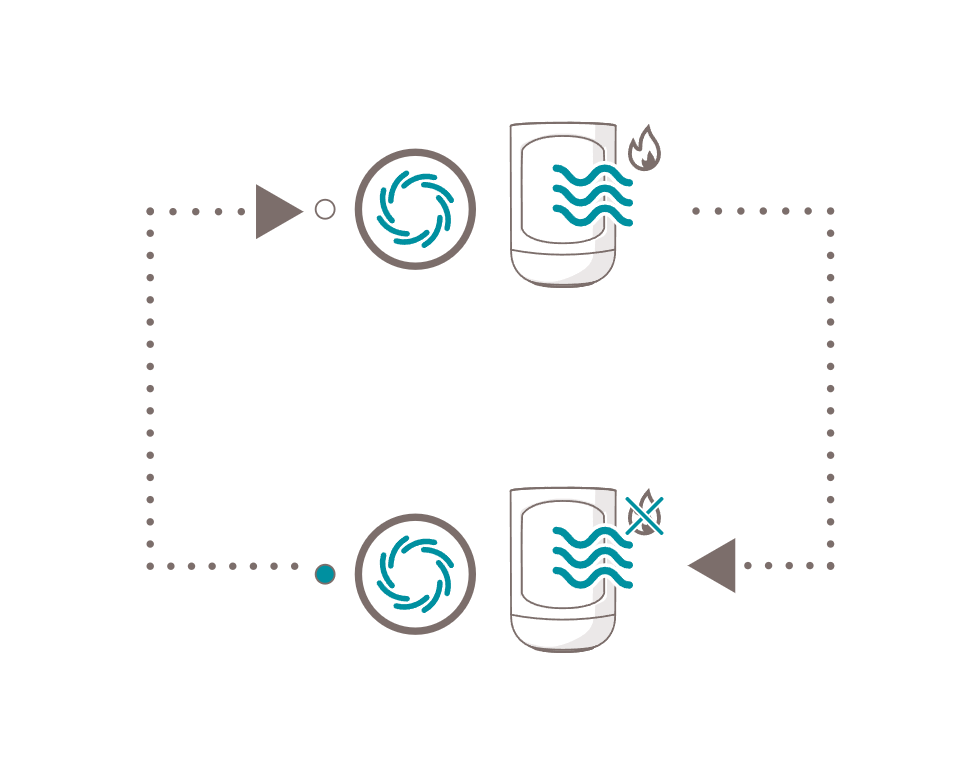
When the ambient temperature exceeds the thermostat threshold, the heating element, fan, and horizontal oscillation stop. The product remains active, continuing to monitor the ambient temperature and automatically resumes operation once the temperature is below the set threshold.
The heating indicator i lights up when the product is actively heating. When the thermostat is activated, the heating indicator i is off when the ambient temperature is above the thermostat threshold.
6.4. Activating the cooling mode
Zone PMS_v01_03_Cooling mode.ai
1. Press the cooling button w to activate the cooling mode.
The cooling indicator q lights up. The fan blows at maximum speed. The heating element is inactive. The heating level and thermostat level indicators 9 t switch off.
2. Press the cooling button w to deactivate the cooling mode.
The cooling indicator q switches off. The heating element is active. The heating level and thermostat level indicators 9 t light up.
6.5. Activating horizontal oscillation
Zone PMS_v01_03_Horizontal oscillation .ai
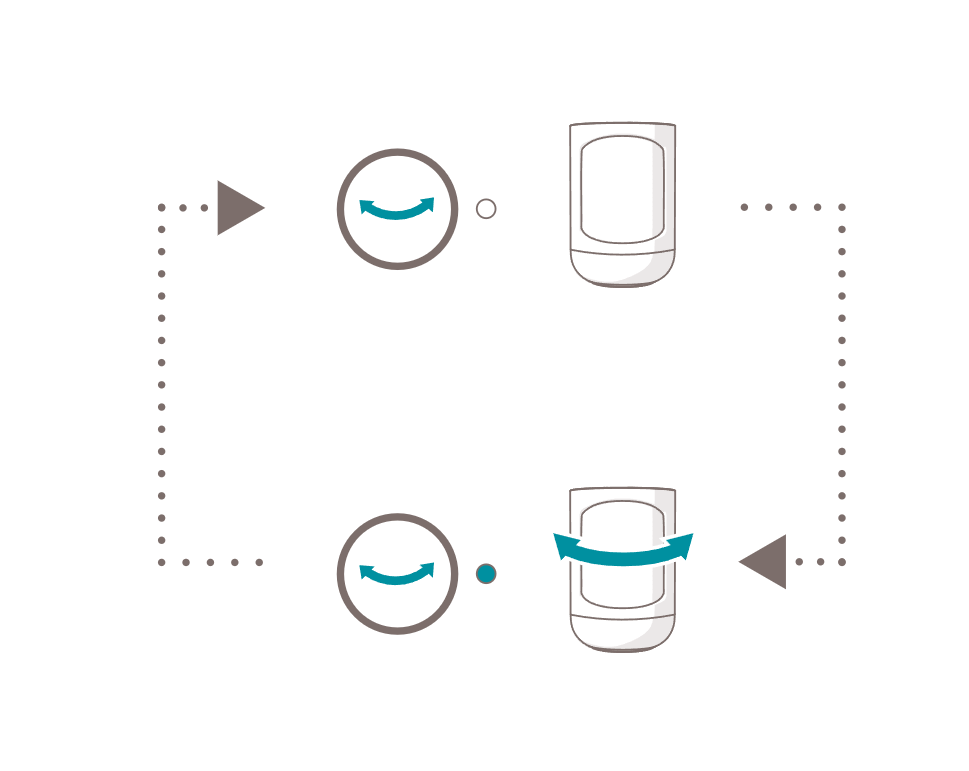
1. Press the oscillation button u to start the horizontal oscillation.
The horizontal oscillation indicator u lights up. The product starts rotating from side to side.
2. Press the oscillation button u to stop the horizontal oscillation.
The horizontal oscillation indicator y switches off. The product stops rotating from side to side.
6.6. Tip-over protection
The product is equipped with a tip-over protection which automatically switches off the product when the product tip-over. The power icon 210067 04058 Duux - Edge Heater_icon_Power.ai starts flashing at full brightness and the product switches to standby mode.
When the tip-over protection is activated, the product must be reset:
1. Place the product back in an upright position on a stable, flat, heat and moisture resistant surface with a minimal of 50 cm free space around the product.
2. Press the power button e to exit safety mode.
The product returns to standby mode.

3. Press the power button e to switch on the product.
6.7. Overheating protection
The product is equipped with an overheating protection which automatically switches off the product when the ambient air temperature is higher than 40°C. The product switches back on when the ambient temperature is lower than 30°C.
7. Maintenance
7.1. Cleaning
WARNING
Risk of electric shock:
Never immerse the product in water or other liquids. Follow the cleaning instructions of this manual for the correct performance of maintenance.
CAUTION
Risk of damaging the product:
Never use cleaning solvents or abrasives to clean the product. Using the wrong cleaning products may damage the housing of the product. Always use the correct cleaning method specified in this user manual.

Clean the product every week.
Zone PMS_v01_04_Air inlet cover schoonmaken.ai
Zone PMS_v01_04_Schoonmaken.ai
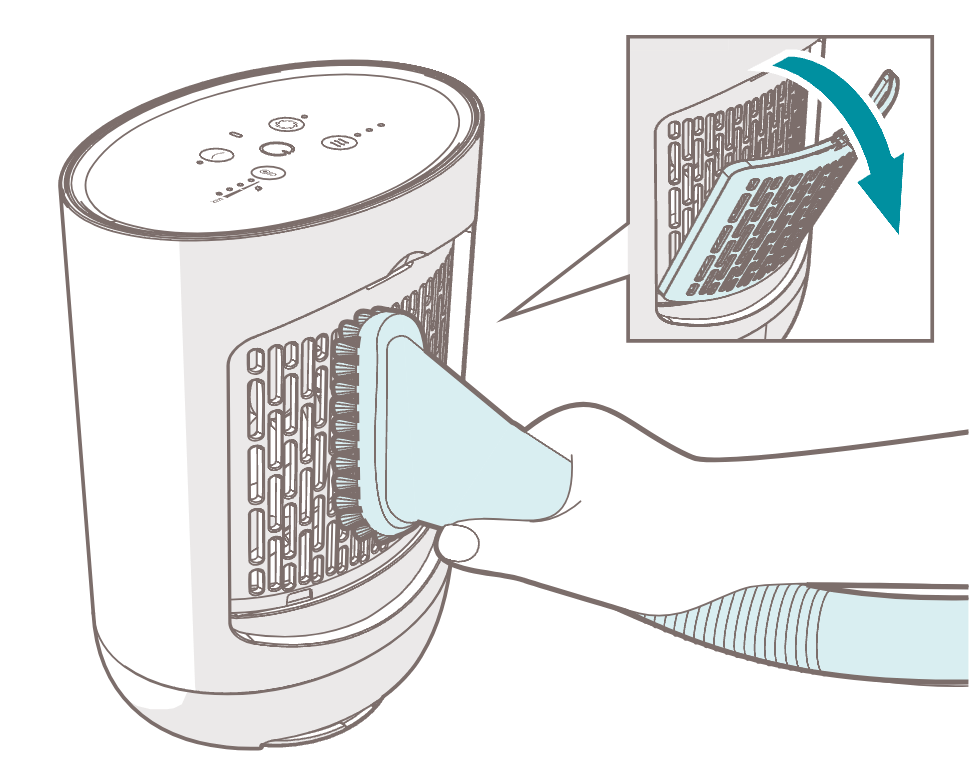
1. Remove the air inlet cover 5 from the product.
2. Clean the air inlet 4 and the air outlet 1 with a vacuum cleaner.
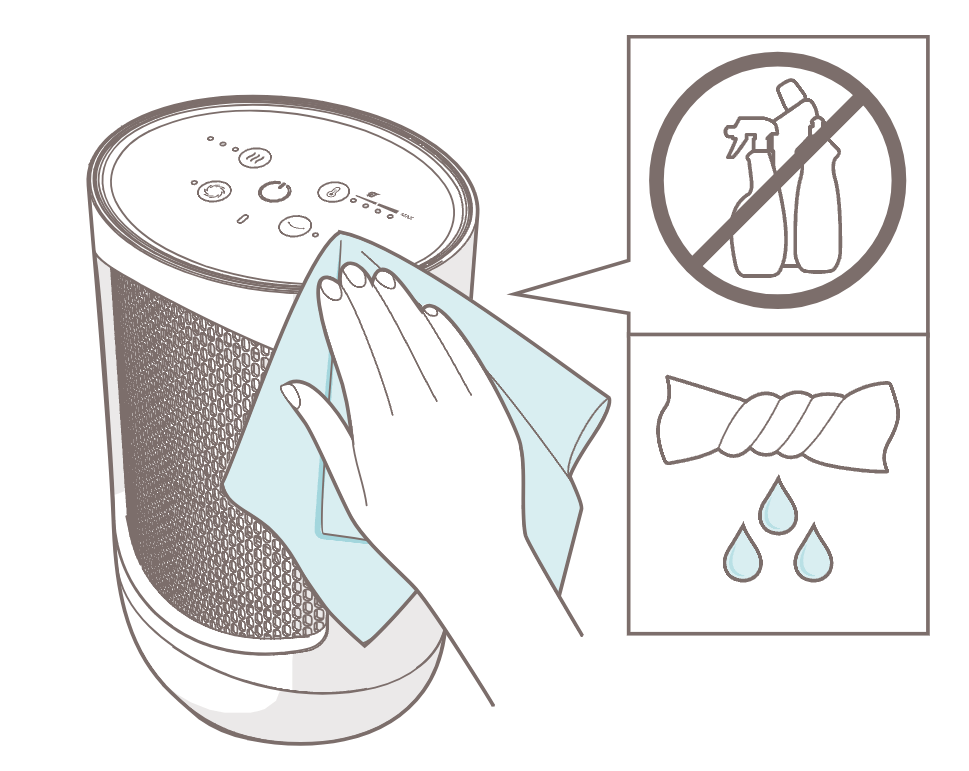
3. Clean the outside of the product with a soft, slightly damp cloth.
4. Dry the outside of the product with a soft, dry cloth.
7.2. Storing
When the product is not used for multiple months, please clean all the components.
Store the product in the original packaging and keep in a clean, dry place.
7.3. Spare parts
WARNING
Risk of electric shock:
Never perform any maintenance with the product connected to the power source. Disconnect the product from the power source before service and when cleaning the product.
CAUTION
Risk of short-circuiting:
Never open the product yourself for maintenance. This product may only be opened for maintenance by an authorised technician.

Spare parts and accessories can be requested at the point of purchase or local distributor.
8. FAQ
Problem
Possible cause
Possible solution
The product does not switch on.
The tip-over protection is activated.
Place the product back in an upright position on a stable, flat, heat and moisture resistant surface with a minimal of 50 cm free space around the product.
Press the power button e to switch on the product.
The product is switched off, but the fan 6 keeps spinning.
The fan 6 keeps spinning for approximately 30 seconds after switching off the product to cool the heating element 2.
Wait for the product to switch off.
The product emits a strong odour.
There is manufacturing residue on the product.
When using the product for the first time, manufacturing residue may get burnt. The odour is temporary and will disappear.
If problems persist, please contact your supplier.
9. Warranty
Duux products have a 24-month guarantee from the time of purchase, provided that they are installed and maintained correctly as indicated in this user manual. Warranty will be void if the product has been improperly operated, stored or used other than described in this manual. This includes opening the device and water damage.
Claims under the guarantee must always be made via the supplier of your Duux product. Products with a defect caused by the production process and within the guarantee period after purchase will be assessed by Duux.
If you notice a defect, please first consult the user manual and the online FAQ at www.duux.com.
10. Disposal
If the product is defective, please contact your supplier. It may still be possible to repair the product. If you still need to dispose the product, please follow the local regulations.
To prevent possible harm to the environment or human health from uncontrolled waste disposal, recycle the product responsibly to promote the sustainable reuse of material resources.
11. Technical specifications
Duux icon_Product name.ai
Product name
Duux Zone
Duux icon_Model number.ai
Model number
DXCH41/43/45/47
Duux icon_Measurements.ai
Measurements (d × w × h)
120 × 155 × 237 mm
Icons_Weight.ai
Weight
1.35 kg
Duux icon_Main materials.ai
Main materials
PC/ABS
Duux icon_Power.ai
Input power
220 - 240 VAC ; 50 Hz
Duux icon_Noise level.ai
Noise level
43 dB
Icons_IP.ai
IP classification
IP21
Icons_Fan speed.ai
Fan speed settings
1
Duux icon_Heating settings.ai
Heating settings
3
Icons_Temperature.ai
Thermostat settings
5
Duux icon_Heating element.ai
Heating element
PTC Ceramic
Duux icon_Heat output.ai
Heat output
Nominal heat output
700 W
Minimum heat output (indicative)
700 W
Maximum continuous heat output
1500 W
Icons_Temperature.ai
Thermostat level
Continuous heat output
ECO Bedroom temperature
18 °C
ECO Living room temperature
21 °C
High temperature
24 °C
Maximum temperature
29 °C
Duux icon_Power.ai
Auxiliary electricity consumption
At nominal heat output
N/A
At minimum heat output
N/A
In standby mode
0.298 Wh
Icons_Type of heat input output.ai
Type of heat input
fan assisted heat output
Type of heat output/room temperature control
with electronic room temperature control

The most important data of the product can also be found on the rating plate. The rating plate is located on the bottom of the product.
The appearance and specification of the device may be changed without notice.